BizNavi Report Local Pro
A BizNavi Mobile app that helps create on-site reports on device. Designed for offline-first use without accounts or cloud sync.
- Android
- iPhone
Free tier: Up to 5 PDF exports per month

iPhone coming soon
BizNavi Mobile
BizNavi Mobile app overview, planned pricing, store readiness, privacy, and support contact.
Sekimosoft合同会社 · BizDX AI
A BizNavi Mobile app that helps create on-site reports on device. Designed for offline-first use without accounts or cloud sync.
Free tier: Up to 5 PDF exports per month
iPhone coming soon
A BizNavi Mobile app that supports inspection workflows on device. Designed for offline-first use without accounts or cloud sync.
Android and iPhone versions are coming soon.
Monthly (planned reference): $4.99
Yearly (planned reference): $49.99
Free tier: Up to 5 PDF exports per month
Trial: 14-day free trial
A BizNavi Mobile app that supports estimate workflows on device. Designed for offline-first use without accounts or cloud sync.
Android and iPhone versions are coming soon.
Monthly (planned reference): $3.99
Yearly (planned reference): $39.99
Free tier: Up to 3 PDF exports per month
Trial: 1-month free trial
A BizNavi Mobile app that supports inventory checks on device. Designed for offline-first use without accounts or cloud sync.
Free tier: Up to 100 items
Trial: 1-month free trial

iPhone coming soon
A BizNavi Mobile app that supports invoice workflows on device. Designed for offline-first use without accounts or cloud sync.

A BizNavi Mobile app that supports meeting minutes on device. Designed for offline-first use without accounts or cloud sync.
Android and iPhone versions are coming soon.
Monthly (planned reference): $2.99
Yearly (planned reference): $29.99
Free tier: Up to 20 meeting records
Trial: 1-month free trial
A BizNavi Mobile app that helps record and summarize work time on device. Log work date, start/end time, break time, customer name, project name, work description, and notes, then generate daily, weekly, and monthly summaries with PDF export.
Free tier: Up to 5 PDF exports per month (share and on-device save count together; Asia/Tokyo calendar month)
Trial: None

iPhone coming soon
From on-site work orders to photos, signatures, and PDFs — complete a work record on one smartphone.
BizNavi Work Order helps field teams record work orders, work details, checklist items, materials used, photos, handwritten signatures, and completion notes together, then create a work-report PDF on site. Paper work-order sheets, photo sorting, handwritten confirmation, and after-visit report writing can be handled as one flow on a smartphone. Following BizNavi Mobile Local Pro principles, it is designed for simple, on-device-centered use.
Manage subject, customer name, site name, assignee, work details, and completion notes as one work record.
Register on-site checklist items and use them to reduce missed work steps.
Record material names, quantities, units, and notes.
Keep before / during / after photos with photo notes. Up to 50 photos.
Capture and save a handwritten confirmation signature on site. This is not a legally binding e-signature or e-contract.
Create a work-report PDF that combines entered work details, photos, and signature.
Hand off via the OS share sheet to a destination the user chooses. This does not guarantee integration with a specific external service.
Example fields: equipment work, maintenance, repair, inspection, construction, interior work, on-site installation, visit services, and field service. Not limited to one industry.
Free tier: Up to 5 PDF exports per month (share and on-device save count together; Asia/Tokyo calendar month)
Trial: None
A local-first business app to record and organize receipts on your smartphone.
BizNavi Receipt is a business app for creating, editing, and managing receipts on a smartphone. Record date, merchant/payee, amount, currency, category, memo, and status, and attach an image per receipt from the camera or photo library. It supports merchant and category presets with search, CSV import/export, CSV + image ZIP import/export, and PDF summary export. Following BizNavi Mobile principles, it is designed for on-device-centered use.
Free tier: Up to 30 finalized receipts per device calendar month free (Premium removes the free-quota restriction)
Trial: None

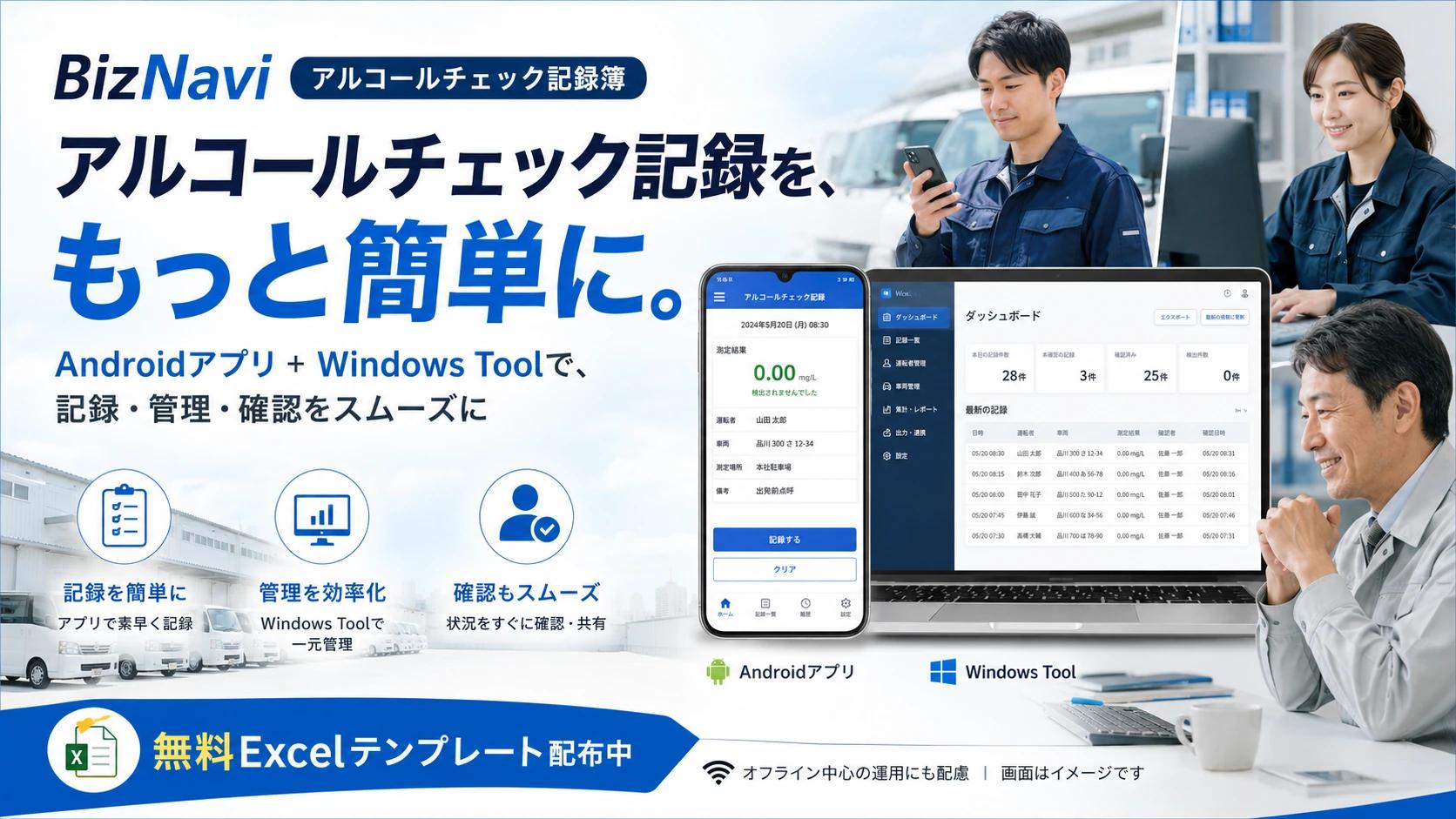
事業所のアルコールチェック記録の作成・保存を支援する Android アプリです。運転前・運転後の記録、運転者・確認者・車両・検知器のマスタ、訂正・取消の履歴を残す方式、証拠写真、CSV / PDF、監査提出用ZIP、Windows版連携、月額Premiumに対応します。
Android version is publicly available
980円 (tax included)
Free trial available
Free tier: 無料プランと月額Premium
The following are BizNavi Mobile shared sales countries. See “Country & statutory rights” for country-specific statutory details.
Prices shown are planned reference figures (JPY and/or USD depending on the app). Before store publication, the “planned” label remains. Displayed prices and billing currency on Google Play / the App Store take precedence.
Prices vary by sales region. In each region we offer a price range broadly comparable to the Japan yen amount shown.
We normally aim to provide an initial response within three business days. Some inquiries may require additional time.